A WordPress email plugin can replace a surprising amount of SaaS software, but only if you are honest about what you need it to do. Designing newsletters is the easy part. Reliable sending, consent records, automation logic, and a database that still behaves after 50,000 contacts are the real test.
There are two very different products hiding behind the phrase “WordPress EDM plugin.” One is a newsletter tool that lives in the WordPress dashboard. The other is a self-hosted customer database and automation engine that happens to send email. Installing the second when you only need a monthly newsletter creates work; installing the first when you need lifecycle marketing creates limits.
After working through the current feature sets, the useful shortlist is MailPoet, FluentCRM, Brevo, The Newsletter Plugin, and Groundhogg. They overlap, but they are not interchangeable.
Do not send a serious campaign through ordinary shared-hosting mail just because the plugin allows it. The editor and automation live in WordPress; delivery should usually go through MailPoet’s sending service, Brevo, Amazon SES, Mailgun, Postmark, SendGrid, or another properly authenticated provider.
Quick comparison
| Plugin | Best use | Where contacts live | Sending model | Main trade-off |
|---|---|---|---|---|
| MailPoet | Newsletters and WooCommerce follow-ups | WordPress | MailPoet service or your own method | Advanced plans scale with subscriber count |
| FluentCRM | Lifecycle automation and segmentation | WordPress | Bring your own SMTP/API service | You own deliverability and queue setup |
| Brevo | Managed delivery and multichannel marketing | Brevo cloud | Brevo infrastructure | Less self-contained; e-commerce requires the WooCommerce connector |
| The Newsletter Plugin | Publishers and budget-conscious sites | WordPress | Host or external delivery add-on | Premium capability is spread across add-ons |
| Groundhogg | CRM-led funnels, memberships, and services | WordPress | Bring your own SMTP service | More system than a basic newsletter sender needs |
MailPoet: the least complicated way to keep email inside WordPress
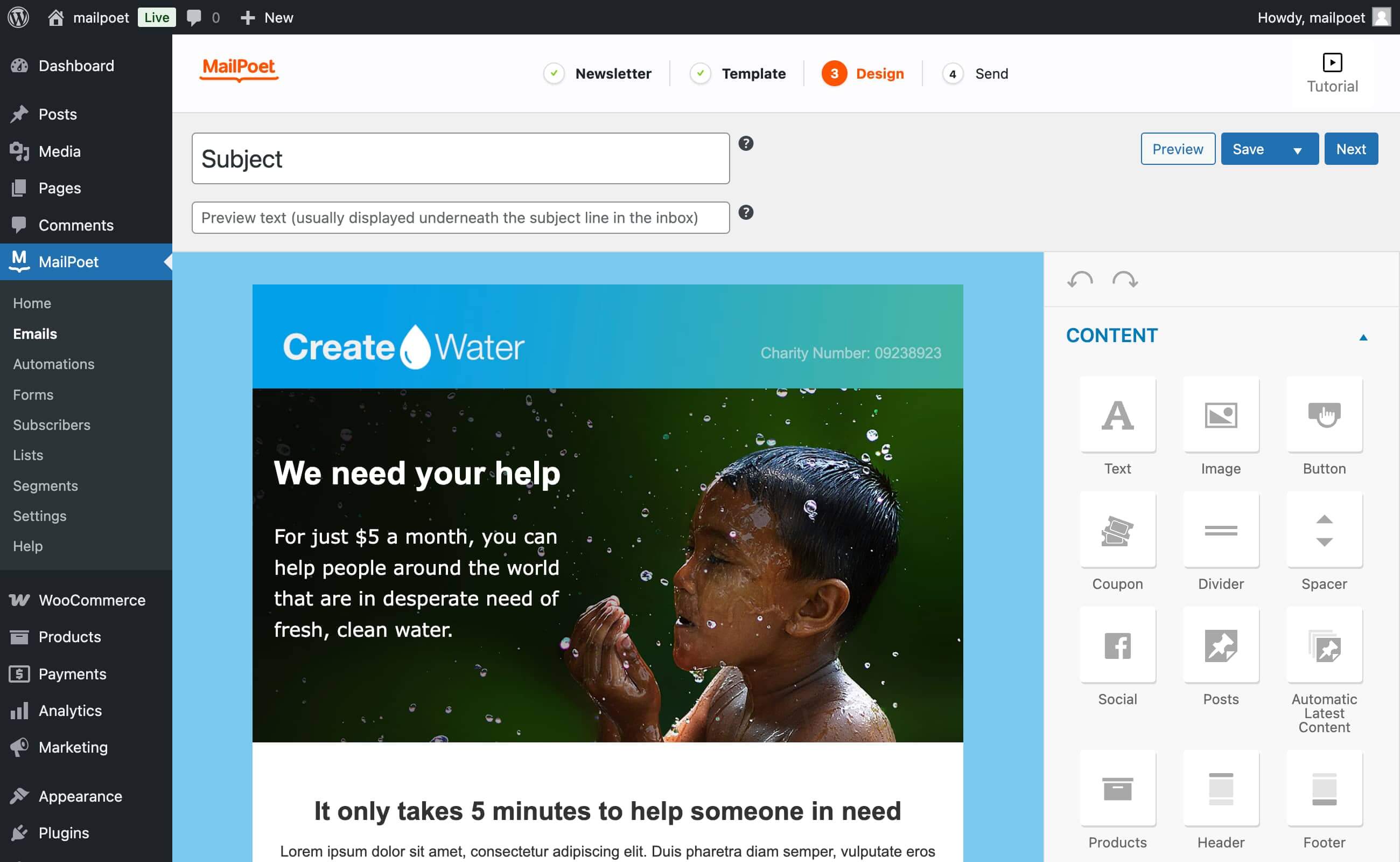
MailPoet feels like a WordPress feature rather than a CRM bolted onto WordPress. You create forms, lists, newsletters, welcome messages, latest-post notifications, and WooCommerce emails without moving between several dashboards. For a content site or small store, that reduction in moving parts matters more than another dozen automation nodes.
Its WooCommerce support is unusually practical: checkout subscription, abandoned-cart reminders, first-purchase emails, product- or category-based follow-ups, customer segmentation, and transactional-email styling. The plugin can also use MailPoet’s own sending infrastructure, including bounce and complaint handling, which removes the most error-prone part of a self-hosted stack.
The current Starter plan supports up to 500 subscribers and 5,000 emails per month through MailPoet’s sending service. Paid tiers add advanced segmentation, targeted automation, detailed engagement and e-commerce reporting, and higher limits. Pricing rises with the list, so a fast-growing publisher should model the cost before importing every historical contact.
FluentCRM: for stores that think in customer journeys
FluentCRM is the stronger choice when “send a newsletter” quickly becomes “tag this buyer, wait seven days, check whether they purchased again, then branch the sequence.” Contacts, campaigns, sequences, funnels, tags, lists, custom fields, and activity history all live in WordPress. Its integrations reach into WooCommerce, membership plugins, LMS tools, forms, and Easy Digital Downloads.
The flat plugin-license model is attractive because it is based on the number of sites rather than contacts. The official pricing currently lists a one-site license at $129 per year before temporary discounts. There are still delivery costs: FluentCRM uses WordPress mail, so a production setup should connect Amazon SES, Mailgun, SendGrid, Brevo, or another provider through SMTP or an API-based mailer.

My hesitation is operational rather than functional. The contact database and automation jobs are on the same WordPress installation that serves the storefront. Custom tables help, but large imports, busy queues, backups, cron reliability, and plugin conflicts become your responsibility. That is manageable on good hosting with real cron and monitoring; it is less comfortable on a cheap shared plan.
Brevo: when I want WordPress integration but not a WordPress mail server
Brevo takes the opposite approach. WordPress handles the capture point while campaigns, automations, contacts, and delivery live on Brevo’s infrastructure. The WordPress plugin supports embedded and pop-up forms, contact synchronization, double opt-in, and web push. Its separate WooCommerce connector is required for order, product, purchase-history, and abandoned-cart data.
This split is useful for a business that values inbox delivery and operational separation more than keeping every record in its own database. A broken WordPress cron job is less likely to stop a scheduled campaign, and Brevo manages the sending layer. The trade-off is that the most interesting work happens outside WordPress, and data synchronization needs to be tested instead of assumed.
Brevo’s paid pricing is based largely on monthly send volume and contact allowances. Standard currently starts at $18 per month and includes unlimited contacts in automations, A/B testing, send-time optimization, and advanced reporting. For a small list with frequent sends, this can be easier to forecast than subscriber-only pricing.
The Newsletter Plugin: capable, modular, and less polished
The Newsletter Plugin is a good fit for publishers who want unlimited subscribers and campaigns without committing to a SaaS platform. The free core handles subscription, list management, newsletter composition, and basic forms. Premium packages add automated newsletters, detailed reporting, WooCommerce and Easy Digital Downloads integration, form connectors, and delivery-service integrations.
The modular approach is both the strength and the annoyance. You can build exactly what the site needs, but it takes more time to understand which add-on owns each feature. The paid license is a one-time purchase that includes one year of updates and support; installed add-ons continue working after expiry, although future WordPress compatibility is not guaranteed without updates.
Groundhogg: more useful for relationships than occasional campaigns
Groundhogg is closer to ActiveCampaign or Keap running inside WordPress than it is to a simple newsletter plugin. It combines contact records, notes, tasks, tags, saved searches, broadcasts, conditional flows, A/B testing, e-commerce triggers, reporting, REST APIs, and webhooks. The self-hosted data model and flat-rate contact policy are attractive to service businesses, nonprofits, membership sites, and agencies.
Pricing is feature-based rather than contact-based: the current annual plans work out to $20 per month for Basic, $40 for Plus, $50 for Pro, and $100 for Agency. Pro is the more realistic e-commerce tier because it includes commerce integrations and conditional logic. Email delivery is still separate, so budget for an SMTP provider.
I would not install Groundhogg for one monthly newsletter. I would consider it when the website is the operating system for a customer journey: leads arrive through forms, staff add notes, buyers trigger sequences, and the team needs a contact history without sending data into several SaaS tools.
Five checks before you install any EDM plugin
- Separate marketing from transactional mail. Order confirmations and password resets must keep working even when a campaign queue is busy. Use distinct streams or providers where possible.
- Authenticate the sending domain. Configure SPF, DKIM, and DMARC. A beautiful editor cannot repair an unauthenticated sender reputation.
- Replace visitor-driven WP-Cron. Time-sensitive automations need a real server cron or reliable external scheduler, especially on low-traffic sites.
- Test consent and suppression. Confirm double opt-in, unsubscribe behavior, bounce handling, complaint suppression, and how existing WooCommerce customers are imported.
- Plan the database exit. Export contacts, tags, custom fields, and consent timestamps before committing. Ownership is only useful when the data can leave cleanly.
My recommendation
Choose MailPoet if you want the fastest, least fragile WordPress-native setup for newsletters and WooCommerce follow-ups.
Choose FluentCRM if automation depth matters and you are comfortable managing delivery, cron, and database operations.
Choose Brevo if you prefer a managed sending platform and want WordPress to remain the lead-capture layer.
Choose The Newsletter Plugin for a budget-conscious publishing workflow with unlimited contacts.
Choose Groundhogg only when you actually need a CRM, not merely an email editor.
For most small WordPress and WooCommerce sites, MailPoet is the sensible first installation. It solves the whole basic workflow with the fewest parts. FluentCRM is the better long-term engine for a store that already knows its customer journeys. The dividing line is not the size of the email list; it is how much operational complexity the team is willing to own.
Sources and pricing checked October 29, 2026: MailPoet plan features; MailPoet plan limits; FluentCRM official site; Brevo WordPress integration guide; The Newsletter Plugin features; Groundhogg pricing.